



Overview
To switch to full screen or manually control slides, use the controls below the presentation.
With
Predict weather forecasts in
Survey other vessels with the
Supported Charts
 Official ENCs from Primar
 They are available by custom selection of individual charts, and can be downloaded with any Internet connection, including low-speed.
 SnMap Raster Charts
This offer requires ScanNav version 12.1 or higher, or ScanNav Compagnon for Android.
This offer requires version 19.1 of ScanNav or higher.
Unlike official ENCs, these charts have not been verified by any Hydrographic Office. They do not meet SOLAS standards, and are therefore reserved for Leisure usage.
 Navionics charts
They are supported in ScanNav starting from version 8.0 and upper.

Maptech charts, although still compatible, are no longer available for sale, Maptech having stopped marketing them for several years. It is not recommended to navigate with these outdated charts.
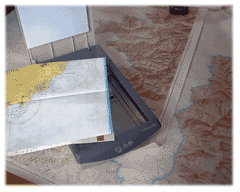 Atelier de Cartographie
You can also use the charts workshop to correct existing charts so as to have up to date charts and navigate safely.
Main functionalities included in the base software
The ScanNav basic module combines the main functions useful for navigation. The software meets the needs of cruisers who want simple or progressive navigation assistance.
Preparing your next cruise
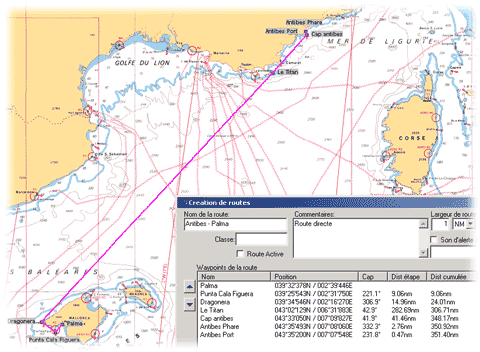
At home, examine your maps in all their details, and determine your next holidays cruise. Create waypoints, routes, calculate bearings and distances, determine your stops...
ScanNav gives you all the necessary drawing and calculation tools to prepare you to the best for your trip.
If you do not wish to bring your PC on board, you will be able with a single click to transfer your prepared waypoints and routes to most existing GPS.
Overlay Aerial images
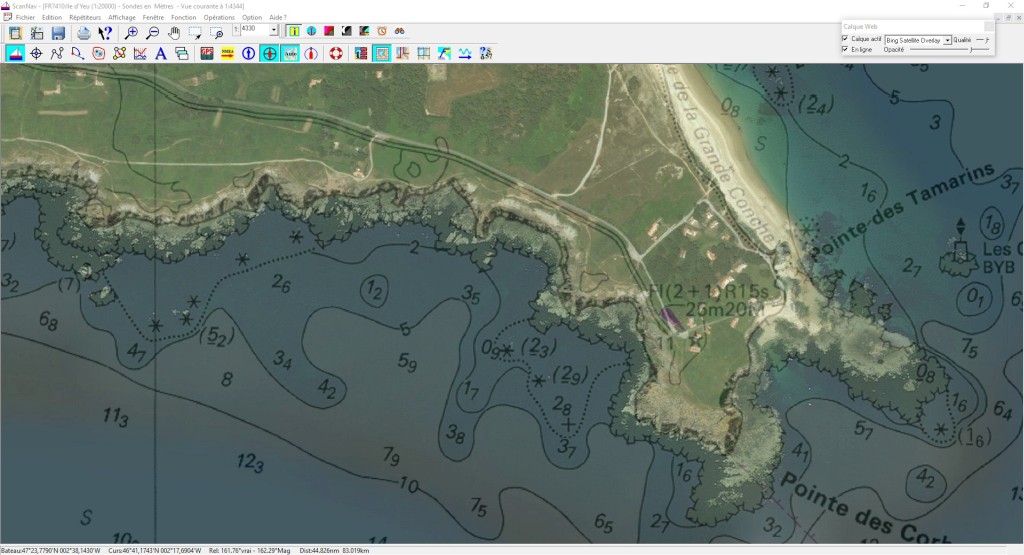
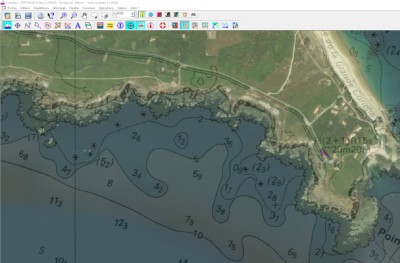
The WEB layers functionality allows you to overlay aerial or satellite images in transparency over the map, providing as much additional information.
Although they are not navigation maps, they constitute an excellent additional navigation aid, giving you another vision of the coasts and nature of the seabed, to prepare your navigations and moorings.
Just click a single button, and the views will be automatically downloaded and cached for offline use. Refer to the documentation for more information.
Consult databases to determine your stops
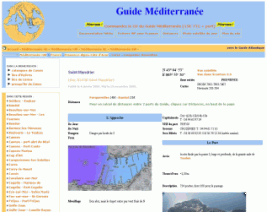
To determine your stops, various guides and databases are integrated directly into ScanNav for offline consultation. Just click on the map to consult the corresponding map, or conversely, to position yourself in the right place on the map from the guide.
Just click on a single button to download or update your databases when connected to the Internet. The download will be very fast.
Some guides, such as the Guide Méditerranée, offer additional content online, which you can also get on CD by contacting the publisher, allowing you to view pages locally without the need for an Internet connection.
Several guides of different origin are interfaced
(Atout Nautic,
The Yachter,
Guide Méditerranée,
Guide Manche,
Guide Atlantique) and others are in preparation.
The wreck database of SHOM is also interfaced according to the same principle.
Water Level: SNTides
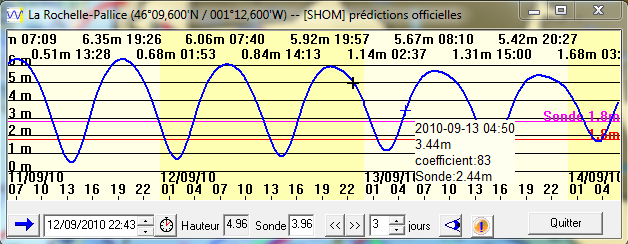
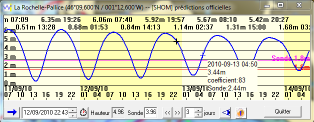
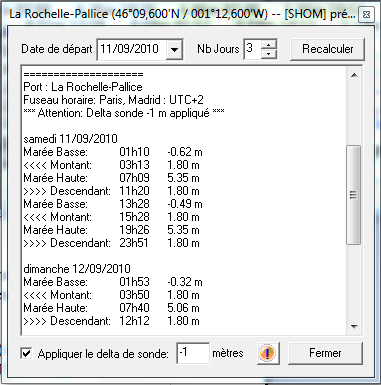
ScanNav includes in standard the SNTides water heights module, with global coverage (nearly 1,300 ports around the world). The calculation engine has been completely revised with version 23.2. Although the results are very close to those of SHOM, they are not considered as official, and SNTides does not exempt from the obligation to use the appropriate nautical documents provided for by national or international regulations.
View instantly the height over a sound at a given time, instantly determine the hours of crossing thresholds based on your draft and keel clearance, etc... View as interactive graphic curves, and/or text tables.
Click here for detailed specifications
Ready to Navigate
"Seamless" management of charts: You just tell once to ScanNav where your maps are on your disk, he will then manage them automatically to show the best fitted chart(s) on screen according to current location and scale level. Several maps may be combined together automatically so as to cover the whole screen, even if at different scales. You will therefore never have a partial blank screen even if navigating on borders of the map.
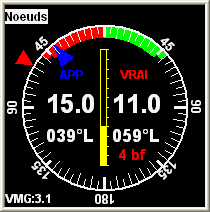
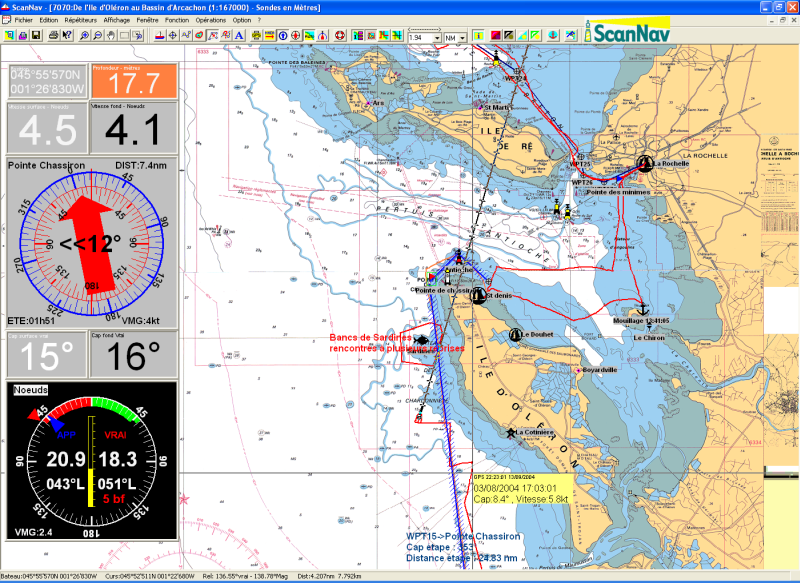
On your boat, connect your GPS to your PC, and you will see your boat moving on the chart in real time, with an immediate estimation of where you will be in a certain time using the heading line graduated in time periods. You also have access to all navigation parameters, such as heading, speed, remaining distance, estimated arrival time, etc...
You can also view (and memorize) any other instruments such as the sounder, wind indicator, compass, loch in adapted repeaters. All calculated information may also be output to external NMEA displays, and you can interface the auto-pilot.
You can choose to follow a previously created route, or navigate to a single waypoint, alarms will warn you of any cross track error, arrival on waypoints, proximity of danger areas... You can mark instant waypoints such as MOB, fishing spots, anchor areas, or any other events. You can also associate photographs to waypoints.
Back from your cruise
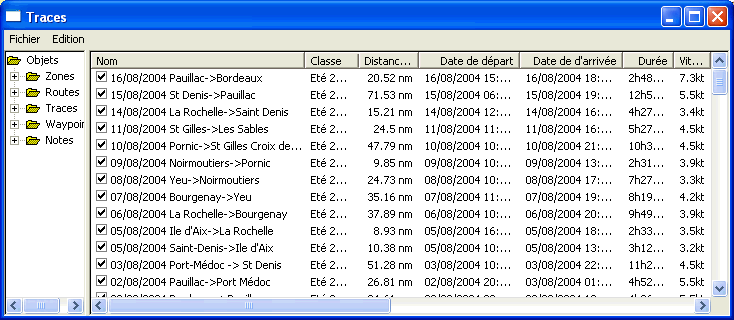
ScanNav keeps track of every information issued from your GPS and other connected instruments, and therefore gives you a graphical journal, letting you analyze your trip in all its details (doesn't substitute to the obligatory legal paper journal)
If you didn't bring your pc onboard or if it was off during navigation, you still can after your trip download tracks from most current GPS, so as to visualize and analyze them in ScanNav.
Interoperability
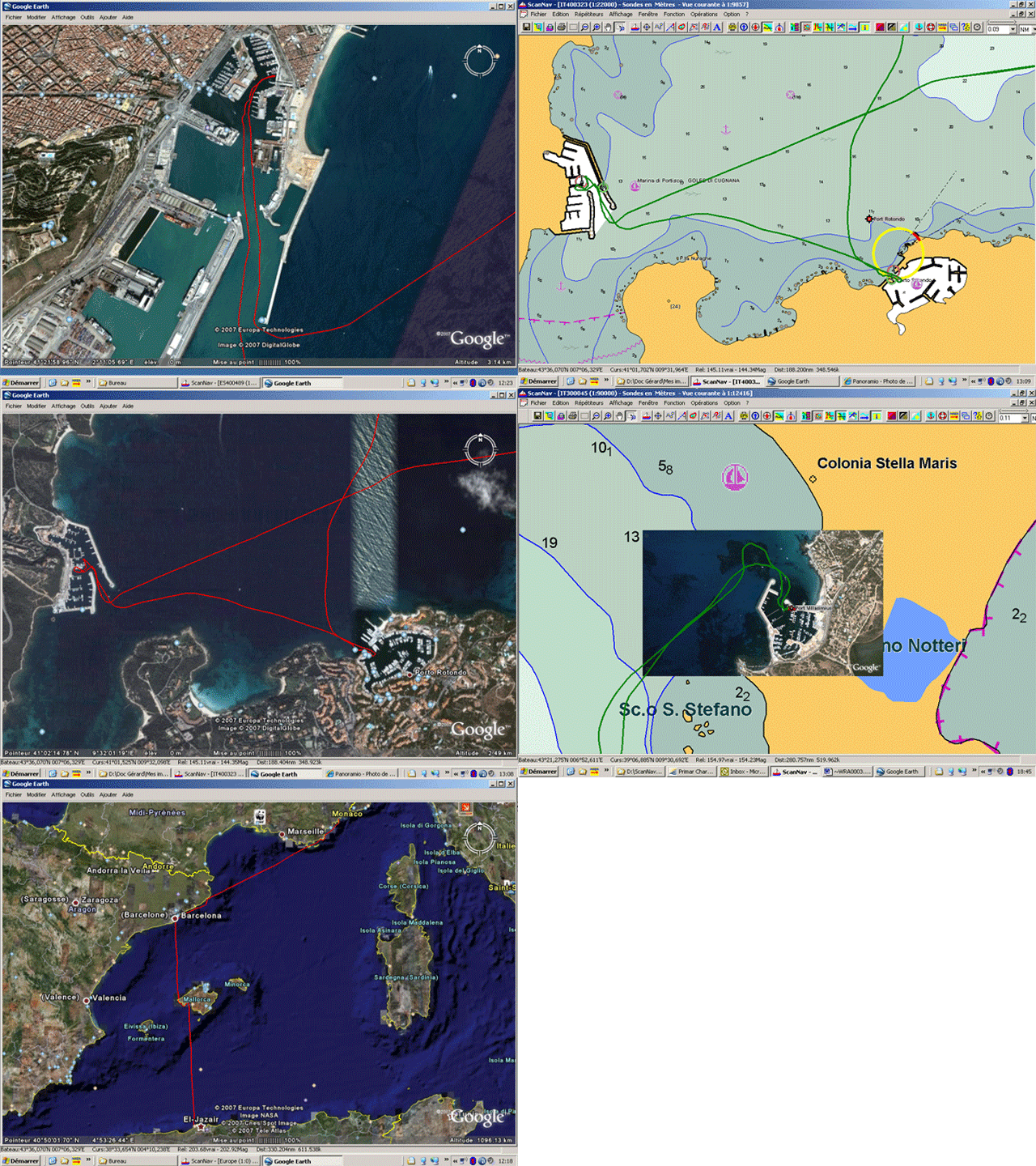
Several formats are available for exporting and importing data to or from various software.
You can export your tracks, routes and waypoints to view them in Google Earth. This can be very usefull for example to send your tracks to your friends for them to review after a cruise, if they don't have a version of ScanNav.
You can also capture Google-Earth screen-shots, and include and georeference the
result in ScanNav within seconds using the charts workshop, so as to
incorporate as an additional navigation aid.
Click here to see a video on 
Other Aerial images
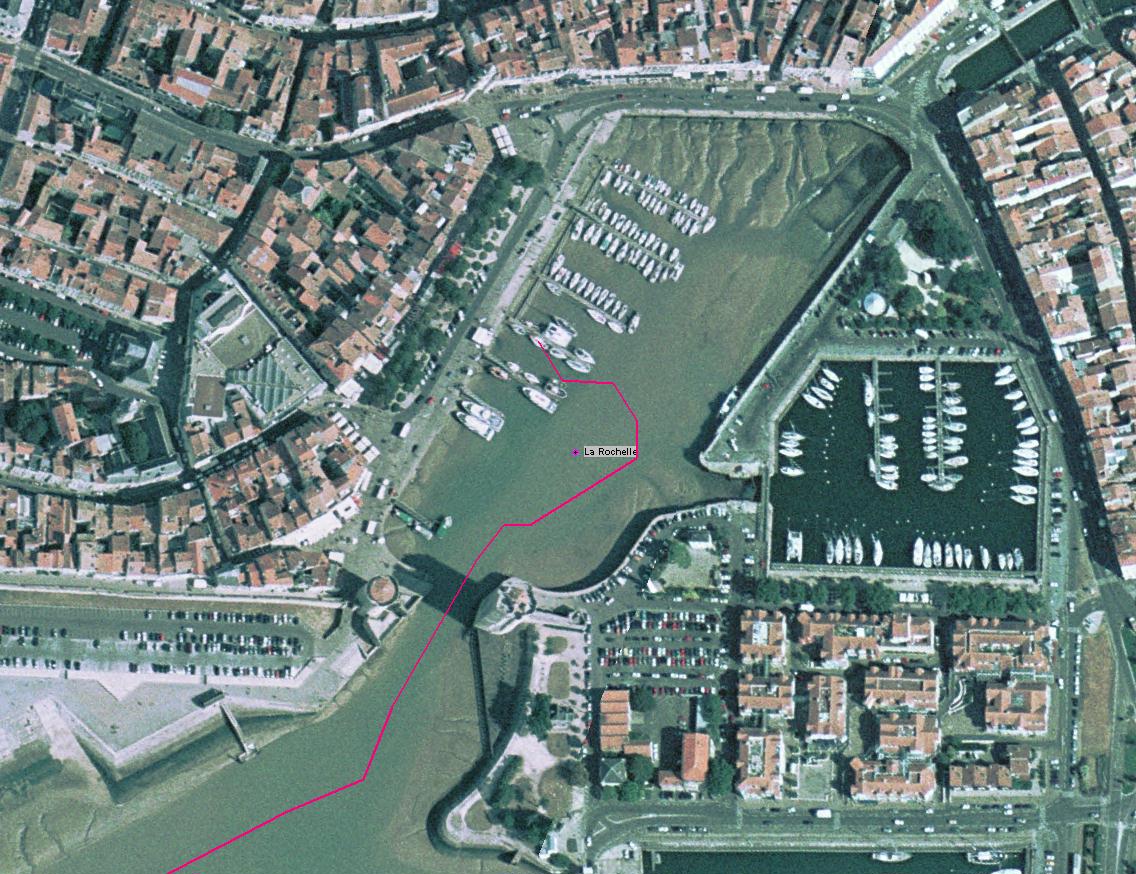
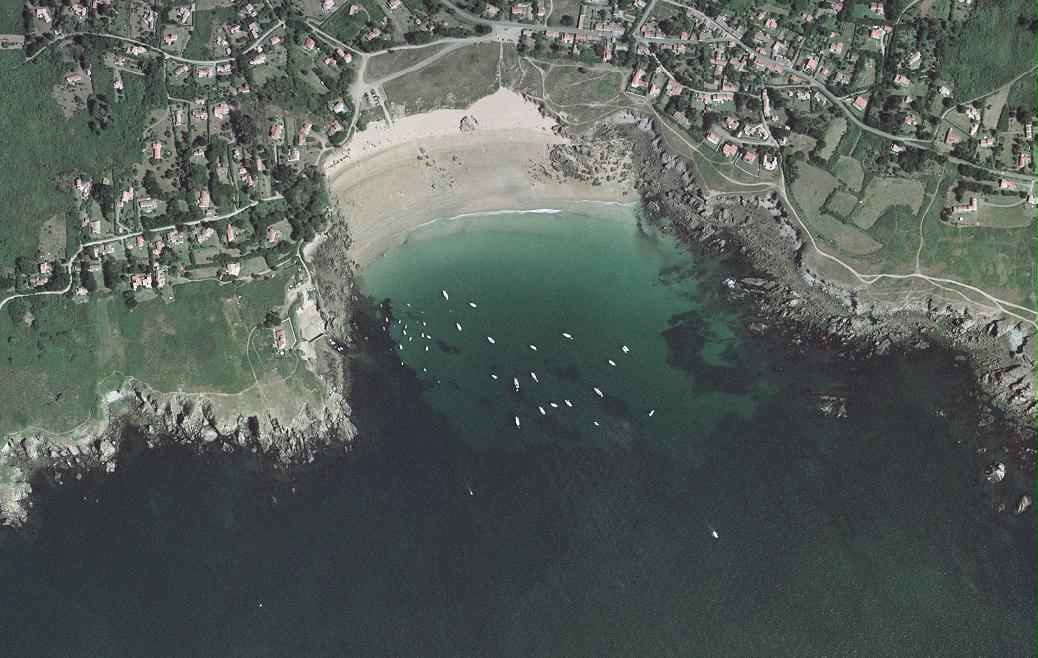
With the MrSid file format support, you can also use aerial photographs of the French coasts, or satellite photographs (world coverage), both available free on Internet. Although not real navigation maps, they constitute a good additional navigation aid, as they are very precise, and give you another vision of the coasts and nature of the seabed.
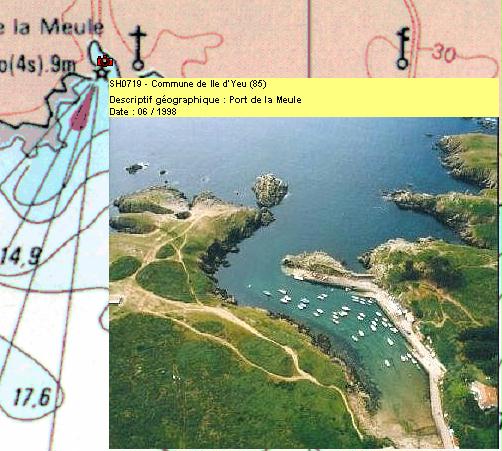
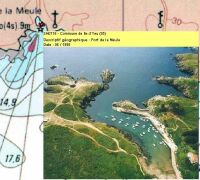
You can also associate your waypoints with oblique views or any other images or dynamic content allowing you to add as much useful information.
Inland usage
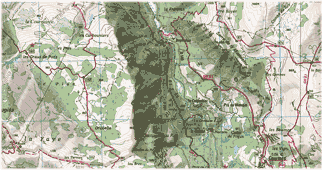
ScanNav is also suitable for inland navigation with Inland ENCs distributed by the VNF(French Waterways), and equivalent services from other countries. Please refer to Usage conditions
Web layers also superimpose perfectly geo-referenced satellite images.ScanNav also supports Lambert and UTM projections used for terrestrial mapping, and can therefore also be used in this area (hiking, mountain biking, 4x4 raids ...).
Optional modules
Optional modules allow you to gradually adapt the software to your needs. You can thus add new modules, at any time, and without having to buy everything again.
You can also include them from the start to benefit from an advantageous rate (see packs in the order form).
Available modules: Weather - Currents - Performances (Routing,laylines,polars) - AIS
GRIB module: Overlay Weather Forecasts
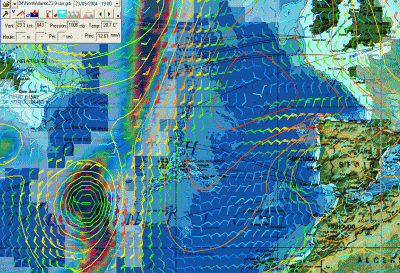
ScanNav lets you overlay weather forecasts from standard GRIB files (Wind, pressure, swell, precipitations, temperatures) directly on your map. GRIB files can be downloaded using regular cell phones when in covered area, or using satellite or BLU (emission/reception) connections when in the great blue.
There are multiple Grib file sources, available at different grid steps ranging from wide mesh for large crossings to very high resolution for coastal navigation. Some such as the Noaa are free, others need a subscription.
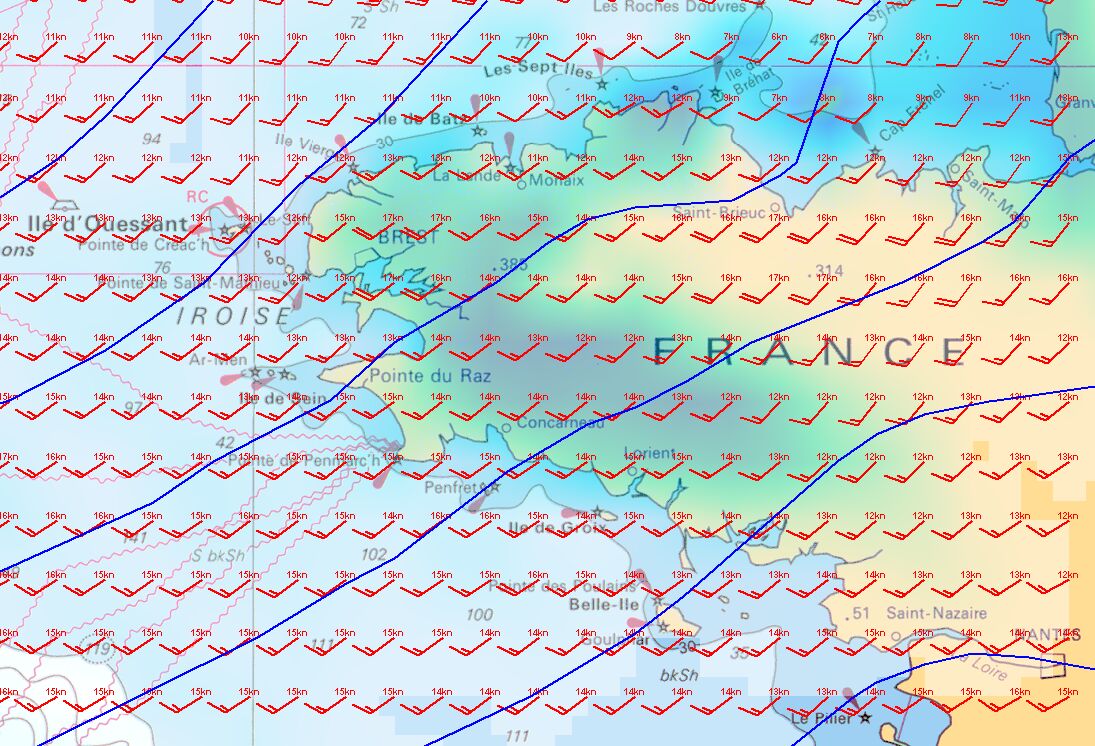
ScanNav includes a Grib file download service with a variety of different models at different resolutions, most of which are free. Click here to see the complete offer.
Our longtime partner Meteorem was the first provider to offer free access to its high resolution Grib files. Click here for more information.
Tidal Currents module
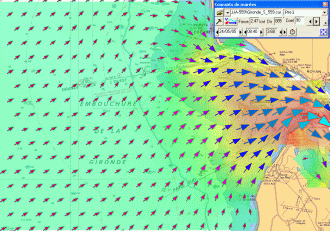
ScanNav handles tidal information by overlapping tidal currents on your map for any time, according to the hour and amplitudes of tides.
The data to calculate currents for French coasts are originated from the SHOM (authorization n° 30/2005).
ScanNav also includes UKHO data for the UK, Belgium, the Netherlands, the North Sea, as well as some points on Iceland, Portugal, and Gibraltar.
You can also use Currents Grib files from different providers whose download are built into ScanNav, or any other external source.
Click here for details on available currents areas.
Performances module
Combine Weather and Currents information to calculate a Routing so as to determine your route and know when to leave with the best conditions.
Display Laylines
Display a Polar repeater to visualize your target speed in real time
AIS / ASN /ARPA Module
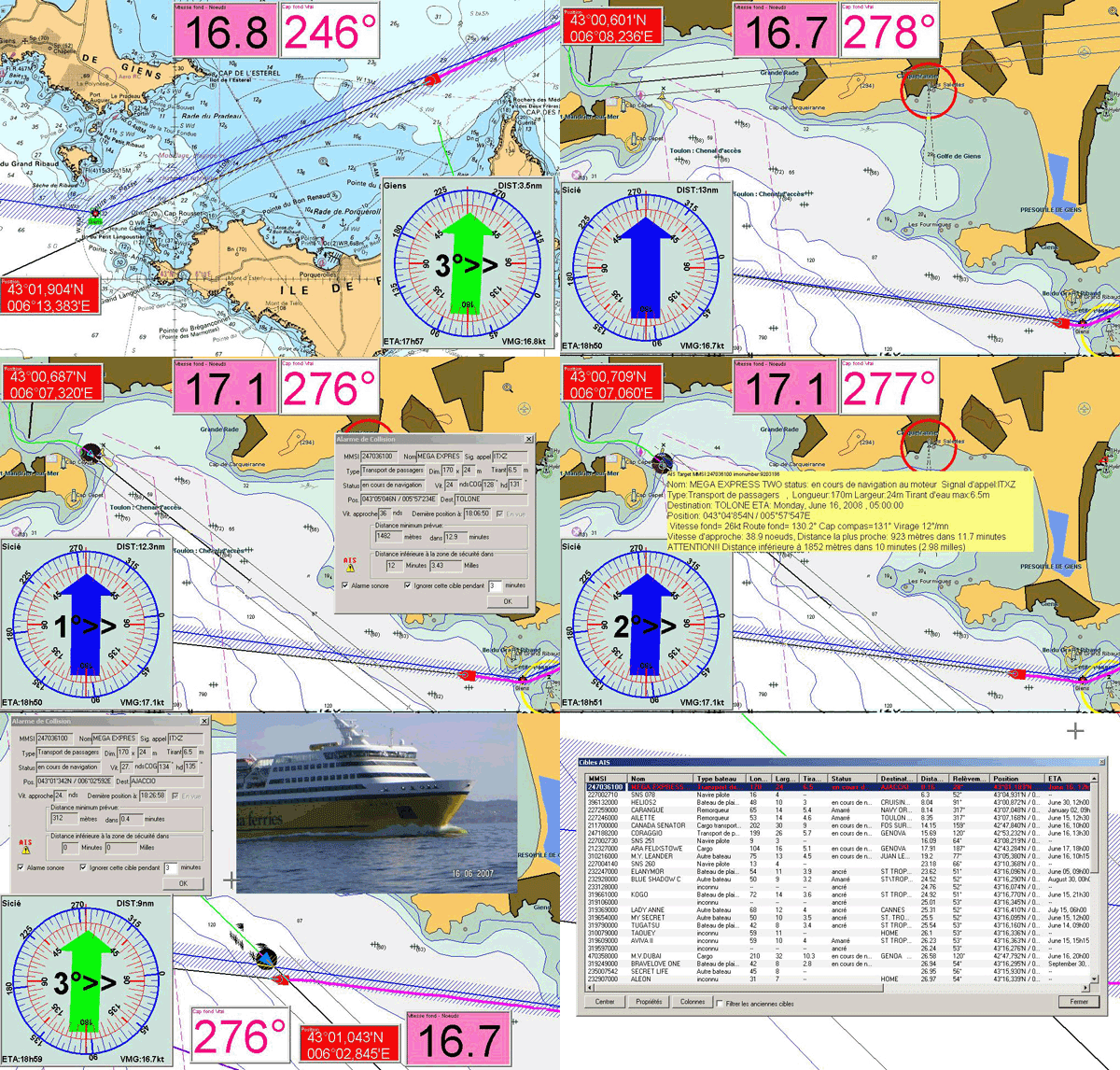 A simple AIS receiver Connected to your pc will give you
information on ships in a range of 25NM (VHF antenna). Position,
heading, speed, rate of turn every 30 seconds and more complete
information such as the name, status, type of vessel, destination...
every 6 minutes.
A simple AIS receiver Connected to your pc will give you
information on ships in a range of 25NM (VHF antenna). Position,
heading, speed, rate of turn every 30 seconds and more complete
information such as the name, status, type of vessel, destination...
every 6 minutes.
Detected boats are shown on the map and/or in a text list logging all
their information. ScanNav manages an anti-collision
system with visual and/or audible alarms according the other vessels
routes compared to your own.
All displayed items and alarms are fully customisable.
In addition to the functions linked to AIS, the module provides exclusive functions linked to DSC (Digital Selective Call) of ICOM VHF, as well as functions linked to ARPA radars.